
How To Create A Business Profile On LinkedIn
If you’re a B2B company, LinkedIn is a must-have. The world’s largest professional network has helped businesses of all sizes connect with prospective clients, generate leads, and grow and scale.
LinkedIn isn’t just for job seekers and recruiters; it’s where decision-makers hang out, where trust is built, and where people get to know what you’re about.
In this post, I’ll walk you through exactly how to create a LinkedIn business profile, step by step, and then show you how to optimise it so it doesn’t just sit there collecting dust.
What Is A LinkedIn Business Profile?
A LinkedIn business profile — also known as a Company Page — is different from your personal LinkedIn profile. Your personal profile is about you. Your company page is about your business.
It’s a place to:
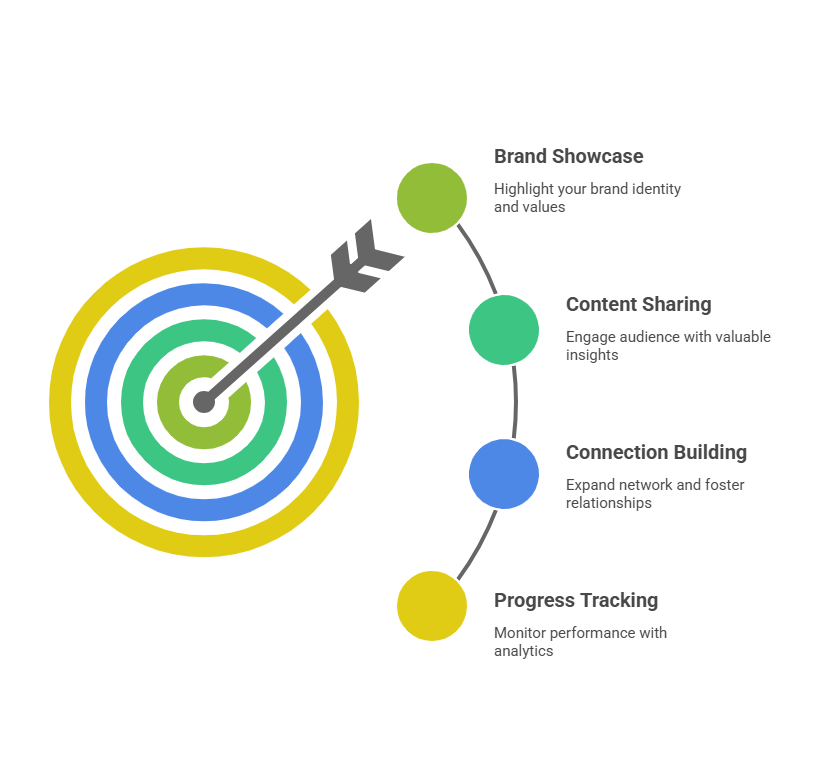
Showcase your brand, values, and services.
Post updates about your business.
Share thoughts, tips, and other helpful content.
Grow your followers and build connections.
Track your progress with built-in analytics tools.
The key features of a LinkedIn Company page include:
An About section for your story and services
A logo and banner image for branding
Organic posts that show up in followers’ feeds
Analytics so you can see what’s working
A Quick Note:
While a LinkedIn Business profile is beneficial, you’ll often see freelancers and solopreneurs like myself using their main page.
Why do we do this? Because our brands are all about us. So, if you fall into the same category, you might be best using your personal profile.
Why Should I Create a LinkedIn Business Page?
As LinkedIn itself confirms, the social networking site has over 1 billion members in 200 countries. So, you get access to a massive audience - without even paying.
Compared to lead-generation sites like Bark, LinkedIn is more accessible to small businesses.
Let’s talk about why it’s worth your time.
Credibility
How many times have you met someone, then checked them out on social media? It’s exactly the same for potential clients.
When someone searches for your company on LinkedIn, a professional and active page tells them that you’re a real business.
Lead Generation
There’s a reason marketers like me will tell you to harness the power of LinkedIn; it’s a goldmine for lead generation. 89% of marketers actively use LinkedIn to generate leads, and over 60% say it regularly works.
Whether you’re a consultant, service provider, agency, or product-based business selling into organisations — LinkedIn can transform your website from lukewarm into a lead generation magnet.
Content Reach
A big part of staying visible on LinkedIn is posting helpful content. Unlike other social media platforms, LinkedIn doesn’t reward photos of your food or filtered selfies; it’s about setting yourself apart and helping your target audience.
Recruitment
Every business relies on recruitment to remain competitive, and LinkedIn can help you attract talent without even trying.
Instead of wasting money on advertising, you can generate interest and ensure you have the right team for growth.
Analytics and Ads
Once your page is live, you can see how many people visit your profile, which posts they engage with, and actively work to improve your presence.
LinkedIn Ads is also beneficial for reaching a wider audience when you’re ready to scale your marketing efforts.
Step-by-Step: How to Create a LinkedIn Business Profile
So, now you know what LinkedIn Business Profiles are and why they’re important for small businesses, it’s time for the practical stuff: creating one.
I recommend opening LinkedIn and following along here.
Step 1: Access LinkedIn Pages
Log in to your personal LinkedIn account.
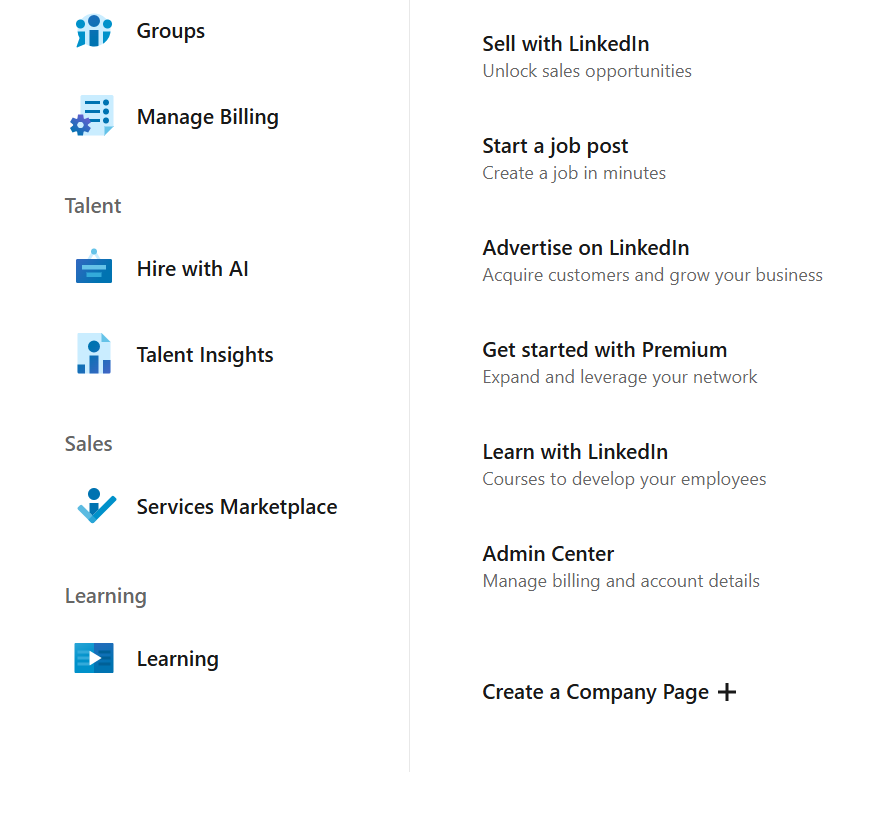
In the top-right corner, click the “For Business” grid icon.
Scroll down and select “Create a Company Page.”
Step 2: Choose the Right Page Type
LinkedIn will ask you to choose a page type. The most common options are:
Business (for small, medium and large companies)
Showcase page (used later for specific brands or offers)
Educational institution
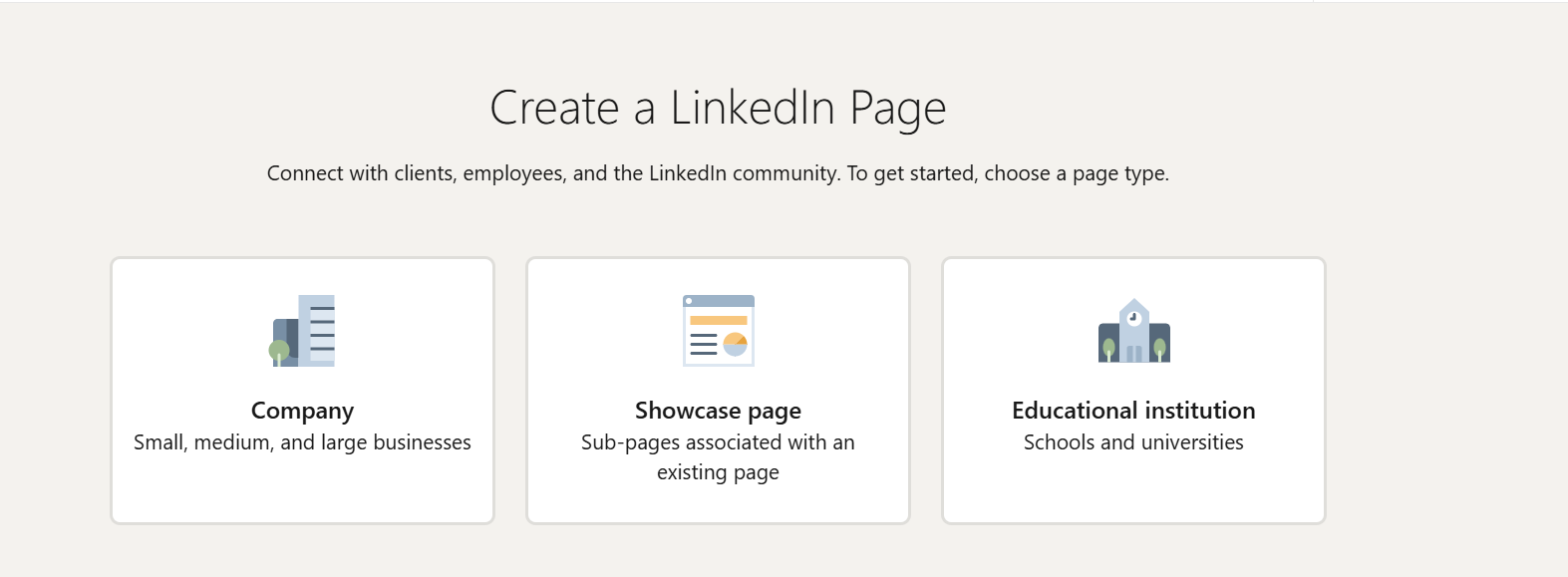
If you’re unsure which is right for you, choose the business option.
Step 3: Enter Your Company Details
The company details are the foundation of your LinkedIn Company page, so make sure you fill in the fields correctly. These include:
Company name
Public LinkedIn URL (keep it clean and readable)
Website URL
Industry
Company size
Business type
Pro Tip: Consistency is key. Make sure your details match your website and Google Business Profile.
Step 4: Add Branding Elements
This is where most pages fall — so don’t rush it.
You’ll upload:
Logo: 300 x 300 px
Banner image: 1536 x 768 px
Your banner doesn’t need to be fancy. A clean design with:
Your brand colours
A short value statement
Or who you help + how
Then add your tagline.
This should clearly say what you do — not vague buzzwords. Think searchable, not clever.
Step 5: Complete the About Section
This is prime real estate, so don’t waste it!
Your About section should include:
Who you help
What you offer
Your mission or values
Key services or solutions
Relevant keywords (naturally written — not stuffed)
Write like a human. Short paragraphs. Clear language. No corporate fluff.
Also add:
Location
Contact details
Any relevant specialities
If someone only reads this section, they should get it.
Step 6: Verify and Publish
LinkedIn may ask you to verify your business via email.
Once everything looks good:
Double-check spelling
Preview how it looks
Click “Create Page”
Congrats — your LinkedIn business profile is officially live
Examples of Great LinkedIn Business Profiles
You’ll notice a range of business profiles on LinkedIn. The ones that stick in your mind will usually have complete information, great branding, and a compelling about us section. Here are some of my favourite LinkedIn profiles:
PetShop.co.uk
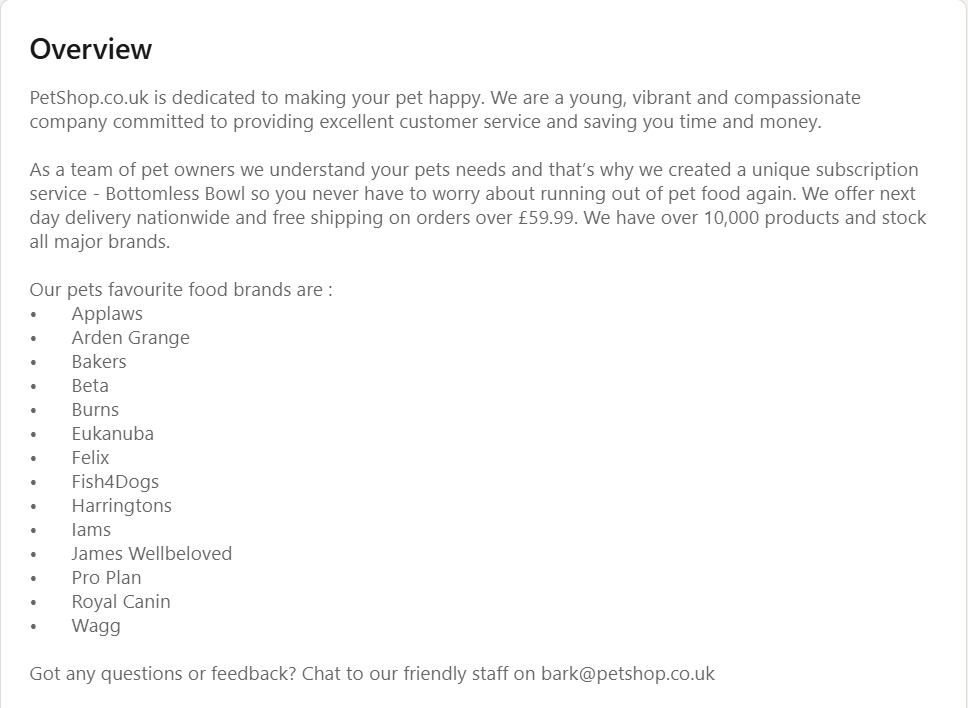
Friendly, personable, and you can see how much the company cares about pet care. (Source).
Office Angels
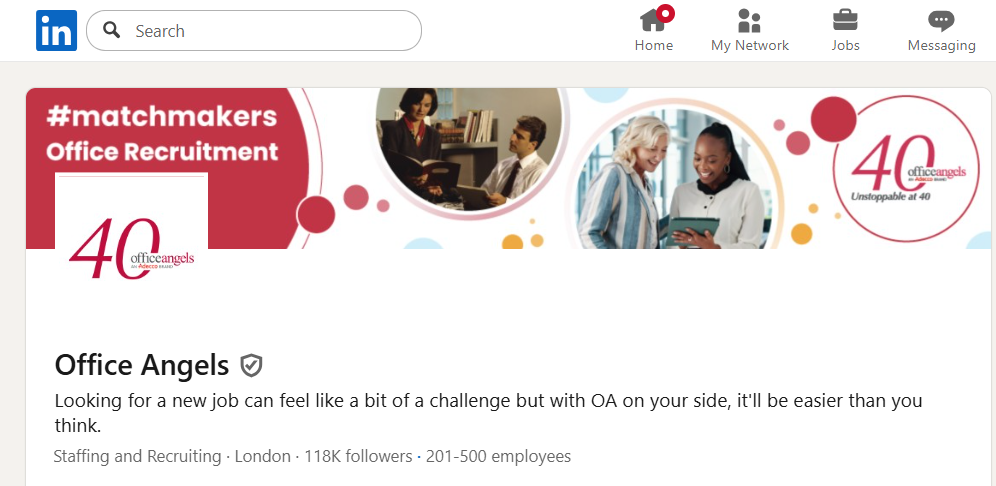
Professional logo and cover photo make Office Angels stand out as a reputable recruitment brand (Source).
How to Optimise Your LinkedIn Business Profile
It would be great if the work were over once you create the page, but optimising it makes sure that people can find it and want to know more about you:
Custom CTA Button: Choose the right option for your business. Choices include “Contact Us”, “Visit Website” or “Sign Up”.
Post Consistently: You don’t need to post every single day. Posting twice a week ensures that your content is high-quality and offers value to your readers.
Work As A Team: Get employees to create posts on your LinkedIn Company Page. It boosts reach and ensures you create helpful content.
Don’t Go Hashtag Crazy: Keep it simple with hashtags. Choose three to five relevant tags instead of filling your post with them.
Avoid These LinkedIn Profile Mistakes
I see these all the time:
Leaving the profile half-finished
Writing vague, jargon-filled descriptions
Only posting promotional content
Posting once… then disappearing for months
Ignoring comments and engagement
Never checking analytics
Your LinkedIn page isn’t a billboard. It’s a relationship-builder. Invest your time and energy in it, and you will see results.
Advanced Tips to Grow Your LinkedIn Business Page
Once your foundation is solid, you can level up with some advanced tactics. These include:
Using LinkedIn Ads or Sponsored Content if you’re targeting a specific audience — especially for B2B offers.
Spending time inside LinkedIn Analytics and seeing what’s working and what needs work.
Collaborate with industry peers or partners. Tag them. Share their content. Build visibility together.
Repurpose your content. Blogs, case studies, newsletters, and podcasts can all be repurposed as LinkedIn content.
FAQs
Can I create a business profile without a personal account?
No. LinkedIn requires a personal profile to create and manage a Company Page.
How long does verification take?
Usually instant or within a few minutes, depending on your email and setup.
Can multiple admins manage the same page?
Yes — and you should. You can assign different admin roles to team members or agencies.
Final Thoughts
Creating a LinkedIn business profile isn’t complicated — but doing it correctly makes all the difference.
When your page is clear, consistent, and active, it becomes a quiet yet powerful trust builder for your brand. One that works in the background while you focus on running your business.
If you haven’t set yours up yet, take this as your sign.
Block out 30 minutes. Follow the steps. Publish the page.
Then start showing up — one post at a time.
